Pay Stubs for Freelancers
No employer. No steady paycheck. No one to hand you a pay stub at the end of the month. If you're a freelancer, that's just how you get paid, and it works fine until someone asks you to prove it.
At PayStubVault, we built pay stubs for freelancers who need a clean, accurate record of what they've actually earned. Whether you're juggling five clients this month or have landed one big project, you can turn your real income into a professional pay stub in minutes, no employer, no payroll department, no waiting.

Why Freelancers Need a Pay Stub
When you're on payroll, your employer generates a pay stub every time you're paid. When you freelance, that step simply doesn't exist — and the gap is real.
No employer, no automatic stub
When you're on payroll, your employer generates a pay stub every time you're paid. When you freelance, that step simply doesn't exist. Your clients pay you, through direct deposit, PayPal, a check, whatever, but nobody issues you a formal earnings document.
Landlords, lenders, embassies want a standard format
A landlord, loan officer, or embassy doesn't want to hear "I get paid by five different clients on five different schedules." They want a document that clearly shows your income, in a format they recognize.
Document, don’t fabricate
A pay stub doesn't invent income you didn't earn; it documents money you've already been paid, laid out the way banks, landlords, and lenders expect to see it. It's not a workaround. It's simply putting your real earnings into a legible, standard format so people who don't know your work can trust it at a glance.
How It Works for Freelancers
Wondering how to create a pay stub as a freelancer without an employer or payroll software? It's simpler than most people expect:
- Step 01
Enter your details.
Add your name, business name (if you have one), and the pay period you’re documenting.
- Step 02
Add your income.
List what you earned, from one client or several, for that period.
- Step 03
Review and download.
Preview your stub, check the numbers, and download it as a print-ready PDF.
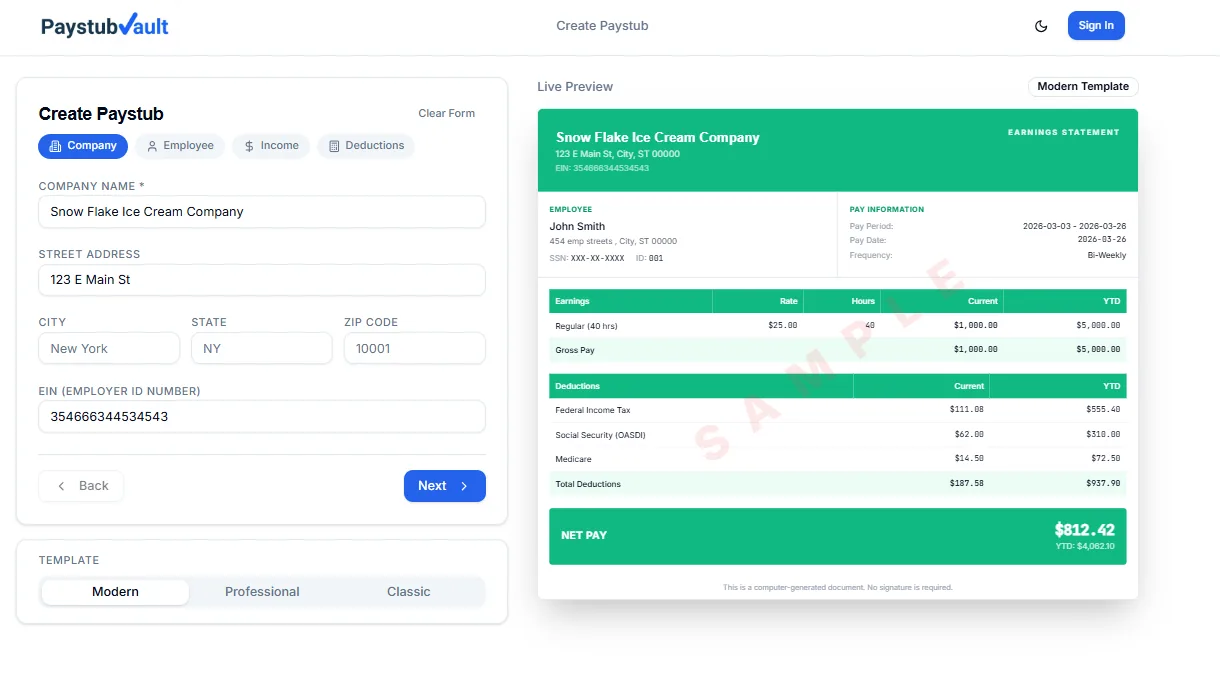
Ready in minutes
Print-ready PDF, formatted for lenders
Benefits for Freelancers
Everything you need to turn real freelance income into documentation you can hand over with confidence.
No employer required
Build a stub using your own business or freelance name.
Handles multiple clients
Combines income from different sources into one clear document.
Fast turnaround
Most freelancers finish in under five minutes.
Professional formatting
The kind of layout landlords and lenders already recognize.
Accurate math
Deductions and totals calculated for you, so nothing looks off.
No subscription
Pay only when you need a stub. First one is on us.
What You Can Use It For
Proof of income for freelancers comes up more often than most people expect. A few common situations:
Apartment rent
Landlords routinely ask for recent pay stubs before approving an application.
Personal or car loan
Lenders want to see consistent income before they approve financing.
Mortgage applications
Self-employed and freelance applicants are often asked for extra documentation to fill the gap left by not having a W-2.
Visa applications
Many visa offices require a formal earnings document as part of financial proof.
In each case, a pay stub works as a freelance income verification document, something concrete you can hand over instead of trying to explain your payment setup from scratch.
Pay Stub vs. Invoice vs. Bank Statement
| Document | What it shows | Where it falls short |
|---|---|---|
Pay stub | Clear earnings summary, formatted for lenders/landlords | Needs to be generated by you |
Invoice | What you billed a client | Doesn't confirm you were actually paid |
Bank statement | Deposits into your account | Mixes personal and business transactions, no breakdown |
A pay stub fills the gap the other two leave open; it's built specifically to be read and trusted at a glance.
Templates and What You'll Get
Every freelance pay stub includes your name, pay period, gross and net earnings, and any deductions you choose to note, all in a clean, professional layout. Browse our free pay stub templates to see the design options before you start, or head straight into the builder if you already know what you need.
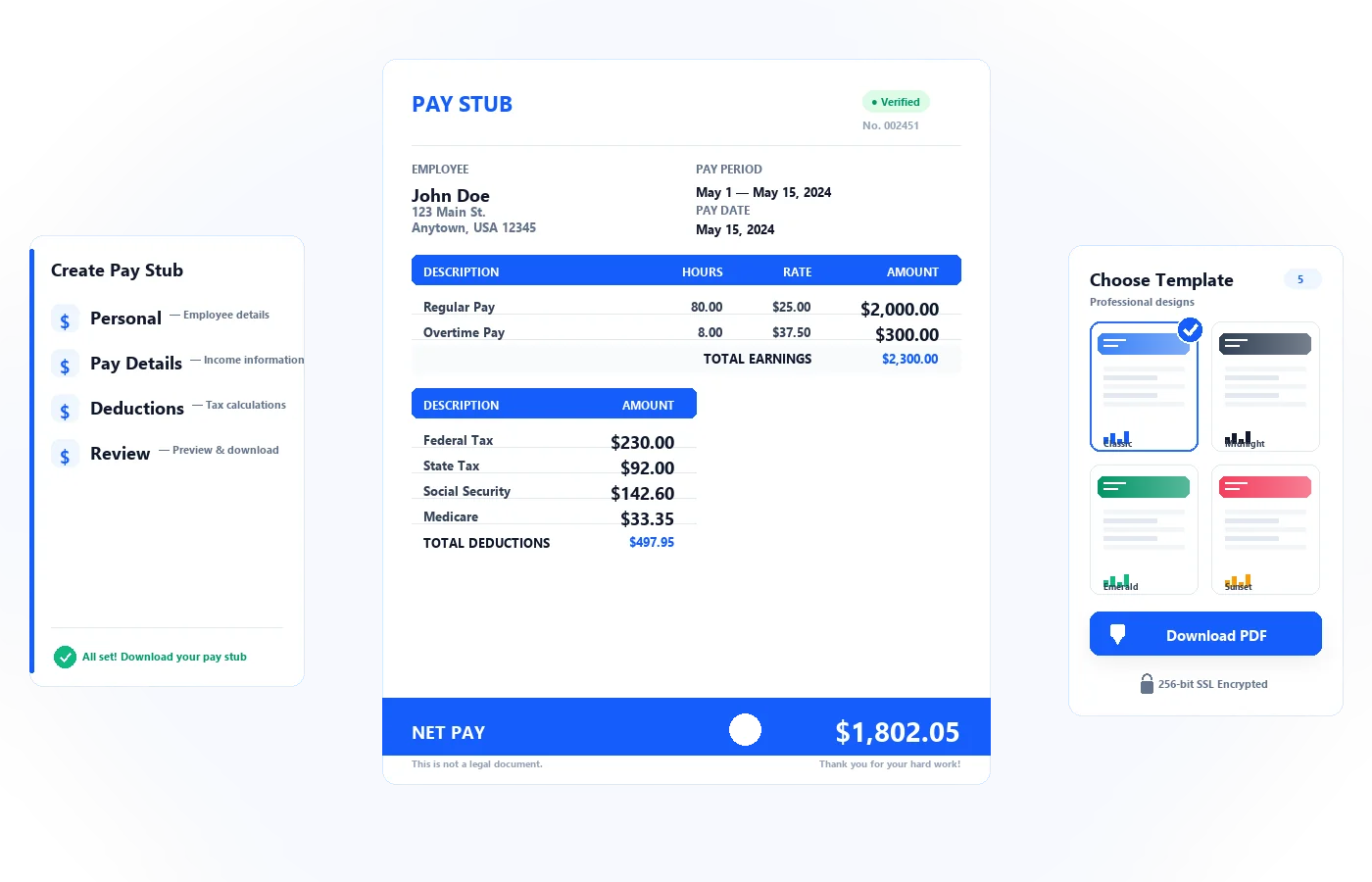
Trusted by Freelancers
Freelancers, independent contractors, and small business owners already use PayStubVault to document their income, from writers and designers to consultants and gig workers.
What freelancers are saying
Real stories from real users — designers, contractors, and gig workers who documented their income with PayStubVault.
“Saved my apartment application!”
I've been freelancing as a graphic designer for 3 years and never had proper pay stubs. When I applied for an apartment, the leasing office needed income proof. PayStubVault saved me — had everything ready in under 10 minutes. The PDF looked completely professional and was accepted without any questions.
Marcus T.
Freelance Designer · Atlanta, GA
“Broker said it looked cleaner than W-2s”
I was skeptical at first but the output looks exactly like what my previous employer used to give me. Needed it for a mortgage pre-qualification and my broker actually said it looked cleaner than most W-2 stubs she sees. 100% recommend to any self-employed person who needs to prove income.
Simone R.
Self-Employed · Charlotte, NC
“Used it for 3 different lenders — 3 approvals”
I deliver for Instacart and drive for Lyft. I've now used PayStubVault for a personal loan, an auto refinance, and a credit card application. All three times I was approved. The stubs look completely legit and the whole process takes like 7 minutes once you know what you're doing.
Rashid K.
Gig Worker (Lyft + Instacart) · Houston, TX
Frequently Asked Questions
Everything freelancers ask about generating pay stubs online.
Are online pay stubs legitimate?
Yes. As long as online pay stubs reflect your actual earned income, they are real pay stubs. While they should reflect your income, they should not be used as a way to fabricate income; they should reflect the true numbers.
Can a pay stub be created without an employer?
Yes. Pay stubs can be created without an employer by freelancers and independent contractors. You will simply enter the business information and income, and the pay stub will be built around the income earned.
How do I create a pay stub online at no cost?
You can create your first pay stub at no cost by not providing any payment information. Simply enter your information, add the pay period income, and then download the pay stub.
Can I make a pay stub for an earlier month?
Absolutely. You are allowed to make a pay stub for any past pay periods. Just make sure the income you state is what you were actually paid for that period.
Is this different from regular pay stubs for self-employed workers?
A freelance pay stub follows the same basic format as a pay stub for self-employed individuals, a pay stub for independent contractors, and even a pay stub for gig workers. Whatever your client count, it's important to produce clear, accurate proof of income, regardless of how many clients you have.
Resources
Pay stub documentation for every kind of independent work.
Pay Stub for Self-Employed
Running your own business means there's no HR department generating your paperwork. A pay stub for self-employed individuals works the same way as the freelancer version, it takes your actual earnings and puts them into a format banks and landlords already trust. Whether you're a consultant, a shop owner, or run a one-person operation, you can build a clean earnings record without waiting on anyone else to issue it for you.
See self-employed pay stubsPay Stubs for Gig Workers
Driving, delivering, or picking up shifts through an app comes with income that's real but scattered across payout screens and weekly summaries. Pay stubs for gig workers pull that income into a single, easy-to-read document, the kind lenders and landlords actually recognize. No matter how many platforms you work through, you end up with one clear stub instead of five different app statements to explain.
See pay stubs for gig workersIndependent Contractor Pay Stub Generator
Contract work often means project-based payments instead of a regular paycheck, and that can make proof of income harder to produce on short notice. Our independent contractor pay stub generator turns your contract earnings into a standard, professional stub in minutes. It's built for exactly this situation, income that's real and steady, just not formatted the way a typical employer paycheck would be.
Generate contractor pay stubsPay Stub Generator for Small Business
Small business owners often pay themselves last, and even then, there's rarely a formal document to show it. A pay stub generator for small business lets you record your own earnings, or generate stubs for employees, without needing a full payroll system. It's a straightforward way to keep your records clean, whether that's for a loan application, a rental agreement, or simply good bookkeeping.
Generate small business pay stubsReady to Document Your Freelance Income?
You do the work. You earn the income. Now get a pay stub that proves it, built for freelancers, by people who understand freelance income doesn't come in one neat paycheck.
4.8/5 from 2,400+ freelancers
Start in under 5 minutes
No employer. No payroll software. No subscription. Just your real income, formatted as a professional pay stub.
256-bit SSL•No credit card required•Then $1.99 per stub