Pay Stubs for the Self-Employed
Payroll departments are not accessible to self-employed individuals. The invoice is sent, the payment is received, you move on, and there is no printout to keep track of any of it. That's fine, until someone asks you to prove what you make.
PayStubVault gives you a fast way to build a pay stub for self-employed work: real income, laid out the way banks, landlords, and lenders expect to see it. Enter what you earned, and walk away with a document that looks like it came straight out of payroll, because the format does, even if the paycheck never did.
Last updated: July 2026

The Problem With Being Your Own Boss
Being self-employed means being in charge of your own money, and, unfortunately, your own paperwork too.
No Payroll, No Paper Trail
When a company pays you, someone in HR generates a stub automatically. When you pay yourself, that step just doesn't exist. Your bank balance goes up; nothing gets printed.
But Everyone Still Wants One
Try renting an apartment, financing a car, or applying for a mortgage, and you’ll hit the same wall: “Can you send a recent pay stub?” Bank statements and invoices don’t cut it; most institutions are built around one specific format, and they expect to see it.
A Stub Documents What You Already Earned
This isn't about inventing numbers. A pay stub takes income you've already been paid and puts it into the format everyone else is used to reading, nothing more, nothing less.
Creating Paystubs Takes About Five Minutes
If you've ever wondered how to create pay stub self employed work without hiring an accountant or buying payroll software, here's the short version:
- Step 01
Tell us who you are.
Your name, your business or DBA, and the period you’re documenting.
- Step 02
Tell us what you earned.
Gross income, any deductions you want reflected, and your pay frequency.
- Step 03
Check it, then download it.
Review the numbers, confirm they’re right, and export a print-ready PDF.
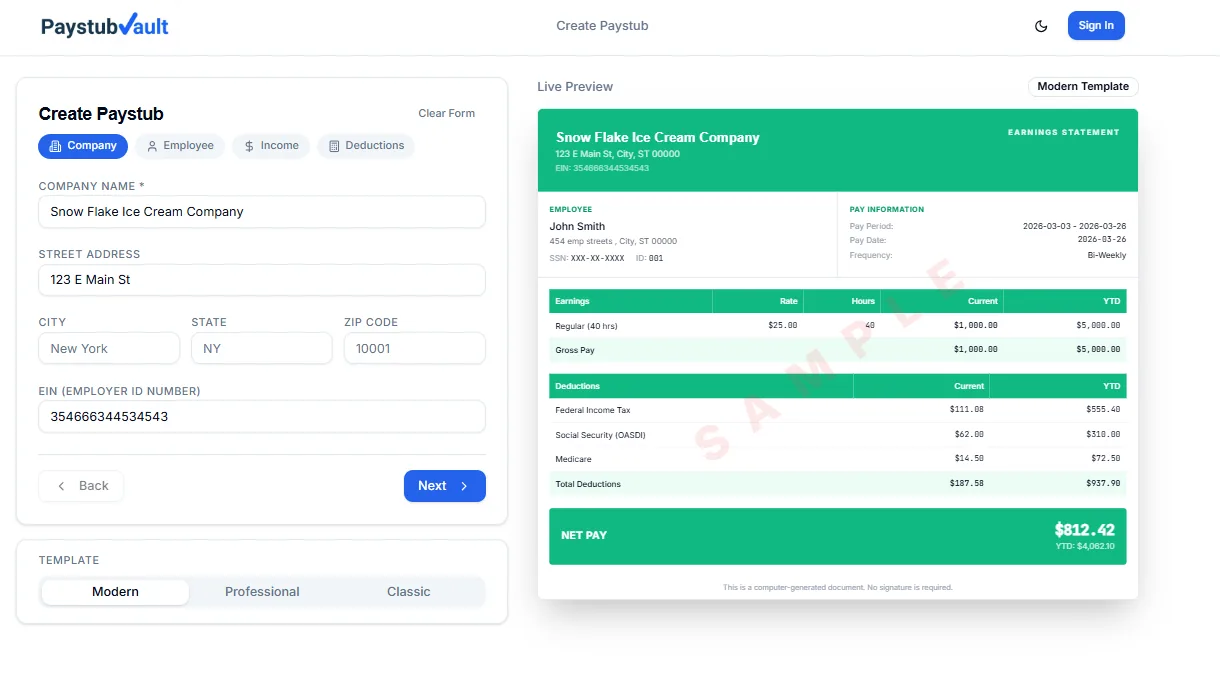
Ready in minutes
Print-ready PDF, formatted for lenders
Why Self-Employed Professionals Choose PayStubVault
No employer field needed
List your own business or your name as the source of income.
Multiple income sources, one document
Combine earnings from several clients or projects into a single stub.
Built for speed
Most people finish in under five minutes, start to finish.
A format people already trust
The same layout landlords, banks, and lenders see from traditional payroll.
Math done for you
Deductions and totals are calculated automatically; no spreadsheet is required.
Pay as you go
No monthly plan. Pay only for the stub you actually need.
Where a Pay Stub Actually Comes in Handy
Proof of income for self-employed workers is requested more often than people expect. A few places it shows up:
Signing a lease
Property managers ask for recent pay stubs before approving almost any application.
Financing a car or personal loan
Lenders want a document showing consistent income before they approve you.
Applying for a mortgage
Without a W-2, self-employed applicants are usually asked for extra proof of steady earnings.
Visa paperwork
Many consular offices want a formal earnings statement to confirm employment status.
Recognize one of these? The builder walks you through exactly the details that the situation calls for, and you'll come out the other side with a ready-to-send PDF.
In every one of these cases, what you're really handing over is a self-employed income verification paystub, something concrete that stands in for a payroll department you don't have.
Pay Stub vs. Invoice vs. Bank Statement
People often assume any income paperwork will do. It usually won't. Here's why a pay stub fills a gap the other two don't.
| Document | What It Shows | Where It Falls Short |
|---|---|---|
Pay Stub | Clear earnings summary, formatted the way lenders and landlords already read | Needs to be generated — it’s not something that shows up automatically |
Invoice | What you billed a client | Doesn't confirm you were actually paid |
Bank Statement | Deposits and everyday transactions mixed together | Mixes personal spending in with income, nothing is labeled or summarized |
A pay stub fills the exact gap the other two leave open, built specifically to be read and trusted at a glance.
What's Actually on the Stub
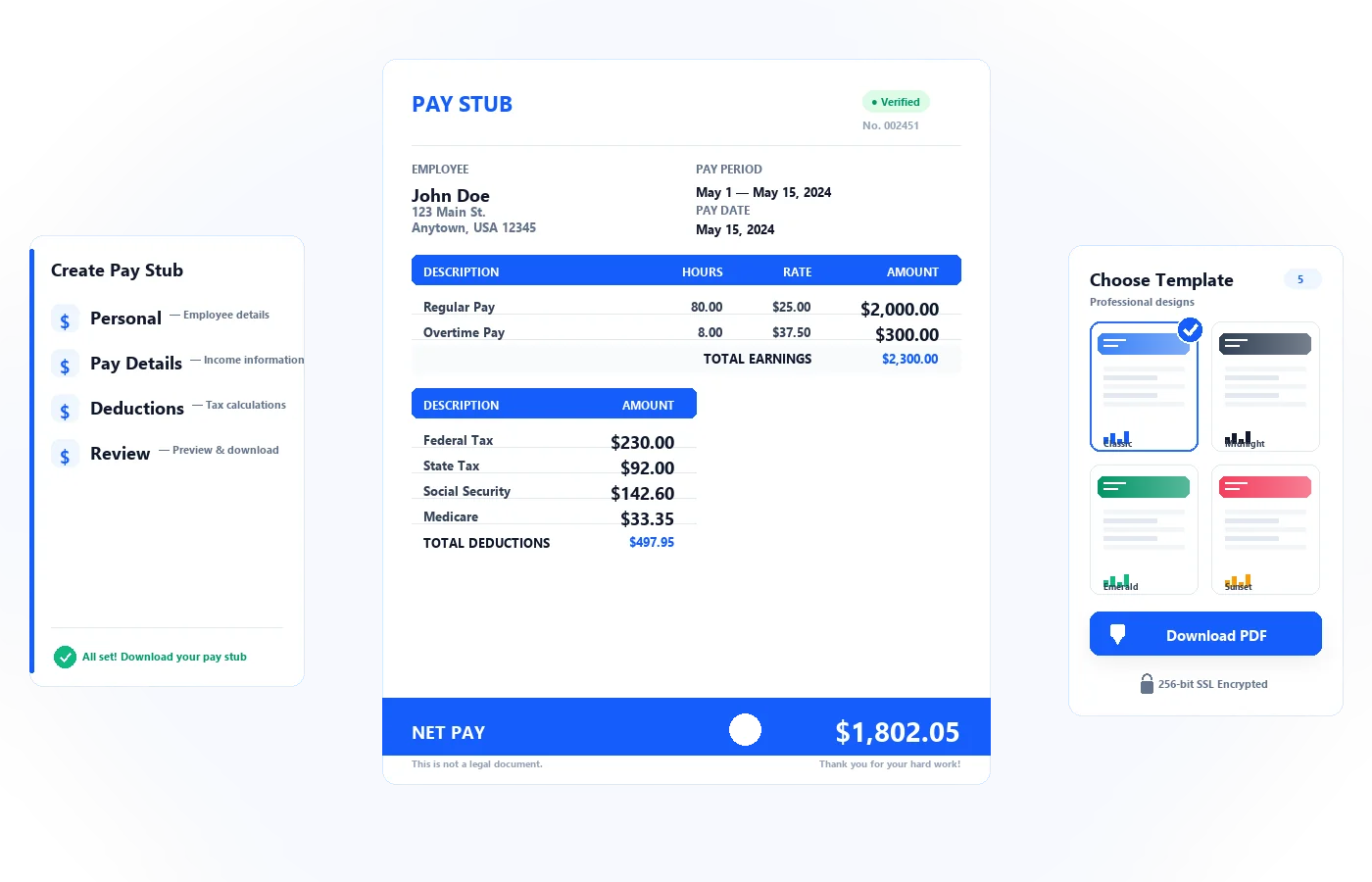
Every stub includes your name, the pay period, gross and net income, and whatever deductions you want to show, all laid out the way employers' payroll stubs typically look. Start from a free self-employed pay stub template, or skip straight to the builder if you already know your numbers.
The Numbers Behind PayStubVault
Freelancers, contractors, and self-employed business owners already rely on us to put their earnings on paper, writers, designers, consultants, and gig workers among them.
People tell us their stubs got approved on the first try, no follow-up questions from the landlord, no rejected loan paperwork, no second submission.
What Self-Employed Users Are Saying
“Landlord accepted it without a single question.”
I run my own bookkeeping business and don’t get a normal paycheck. My leasing office wanted a pay stub, not a bank statement. Had one ready in about five minutes and never heard back with follow-up questions.
Danielle R.
Bookkeeper
“Finally, something that matches how I actually get paid.”
Between two retainer clients and random one-off projects, my income never looks the same month to month. Being able to combine it all into one clean stub for my car loan application saved me a headache.
Marcus T.
Self-employed Consultant
“Used it for a mortgage pre-approval — worked perfectly.”
My loan officer specifically asked for something formatted like a payroll stub since I’m self-employed. This looked exactly like what she needed, and we moved forward the same week.
Priya K.
Self-Employed Designer
Common Questions About Self-Employed Pay Stubs
Are self-employed check stubs actually legitimate?
Yes, as long as the numbers reflect income you genuinely earned. A pay stub is meant to document real pay, not manufacture income that never existed.
Do I need to list an employer to make one?
No. The builder is designed for people without one. You’ll enter your own name or business instead of a company’s.
Can I generate a self-employed paycheck stub for a past pay period?
Yes. Pick whichever period you’re documenting and enter what you actually earned during that stretch.
How is a self-employment pay stub template different from a regular payroll stub?
Barely at all in appearance, the difference is just who’s listed as the employer. Yours will show your own business name in that spot.
Will a pay stub cover my self-employment tax documents?
No, a pay stub isn’t a replacement for things like your 1099s or Schedule C. Think of it as a running record of what you earned, useful alongside your official self-employment tax documents, not instead of them.
More Ways to Document Non-Traditional Income
Self-employment isn't the only kind of income that doesn't come with a built-in paper trail.
Freelancing full-time?
See how pay stubs for freelancers online work for project-based, client-billed income.
See freelancer pay stubsDriving, delivering, or working gig apps?
Pay stubs for gig workers are built around irregular, multi-app earnings.
See gig worker pay stubsWorking contract to contract?
Try our independent contractor pay stub generator for project-based pay.
See contractor pay stubsRunning a small business and need to pay yourself on paper?
Our pay stub generator for small businesses covers owner pay, too.
See small business pay stubsYour Income Is Real. Now Prove It.
You already did the hard part; you earned it. Turning that into a pay stub shouldn't be the hard part, either.
- Built in about 4 minutes
- Deductions calculated automatically
- Download your PDF instantly
Start in under 5 minutes
No employer. No payroll software. No subscription. Just your real income, formatted as a professional pay stub.
256-bit SSL•No credit card required•Then $1.99 per stub